Product bundle landing pages: make the whole offer clear
A product bundle landing page sells a useful set by naming every item, its quantity and the next step. Show the full offer before the button. Keep the ad, kit contents, price and cart in sync. A larger order helps only if its contribution holds.

On this page 11 sections
- What does a bundle landing page need to do?
- Who should use a bundle presell page?
- Which bundle format fits the offer?
- How should you show every included item?
- Where does the presell page stop?
- What if one bundle component is unavailable?
- How do price and contribution change?
- What must match from ad to cart?
- How can you draft the offer block?
- What proof and claims belong on the page?
- How should you check and measure the handoff?
<!-- tool27:add:start --> Before reading gross ROAS as an outcome, compare the same original orders in the returns-adjusted ROAS calculator. Its cohort table separates refunded sales, recovered inventory and reverse logistics, and exports the assumptions with the result. <!-- tool27:add:end -->
What does a bundle landing page need to do?
A bundle page must make one complete offer understandable. The buyer should be able to name what arrives, what they must choose and what happens after the button.
That is a narrower job than “sell more products.” Shopify describes a bundle as related products sold as a set; a discount is common, rather than the definition of every useful kit.1 A coffee starter set, for example, can save the buyer from finding compatible parts separately.
Use the following order before adding a long sales story:
| Buyer’s question | The page should show | A weak substitute |
|---|---|---|
| What will this help me do? | One concrete task or use case | “The ultimate collection” |
| What exactly arrives? | Named components and quantities | A decorative group photograph |
| What must I choose? | Required variants or a clear next step | A button that hides a later decision |
| What will I pay? | Offer price and relevant cost conditions | A percentage without a reference |
| What happens next? | A button label that matches the destination | “Get my kit” linking to a general catalog |
For the wider funnel, start with what a presell page does. This guide covers the offer block and its handoff, rather than replacing the store’s bundle system.
Before sending the reader to the store, compare the promised bundle with the items and quantities actually selected. The product-handoff QA record separates the offer description from the received destination state.
Who should use a bundle presell page?
Use a presell page when the set needs an explanation before the shopping decision. A ready-made kit with an obvious purpose may need only a clear product page.
A first-time coffee buyer might need to understand why a dripper, matching filters and coffee belong together. Someone searching for a refill pack may already know the product and mainly need quantity, compatibility and delivery information. Sending both readers through the same long introduction can add an unnecessary step.
| Situation | Useful emphasis | Better next step |
|---|---|---|
| A new task with complementary parts | Explain why each component earns its place | View the specified starter kit |
| A repeat purchase of one item | Show quantity, unit basis and replenishment fit | Choose the multipack |
| A configurable set | Explain the rules and what remains optional | Build the set |
| One product with unrelated extras | Reconsider the set’s purpose | Compare the single item first |
Do not force a buyer who needs one replacement part into a full kit. Link to the relevant single product when the store offers it. That is useful qualification, not a failure of the page.
Which bundle format fits the offer?
Fixed kits, multipacks and configurable sets ask different questions. Choose the format before writing the headline, so the copy does not promise a choice the store cannot provide.
Shopify’s documentation distinguishes fixed bundles, multipacks and mix-and-match arrangements. Its first-party Bundles app supports fixed bundles and multipacks; its current compatibility guidance says that app does not support mix-and-match bundles.2 WooCommerce also distinguishes a prepackaged set from a step-by-step configurable product and from non-stocked customizations.4
The selector below routes by the decision the buyer makes. It is an editorial aid, not an app compatibility test.
Interactive
Which offer path are you writing?
Choose the closest description. This routes the page brief; it does not verify any store or app.
Without scripting, use the fixed / multipack / configurable decision table in the article. No outcome is a sales forecast.
Without JavaScript, use the fit table above: repeated identical goods suggest a multipack; predetermined complementary goods suggest a fixed kit; customer-selected components need a configuration path. Check the actual store implementation before publishing any of those promises.
How should you show every included item?
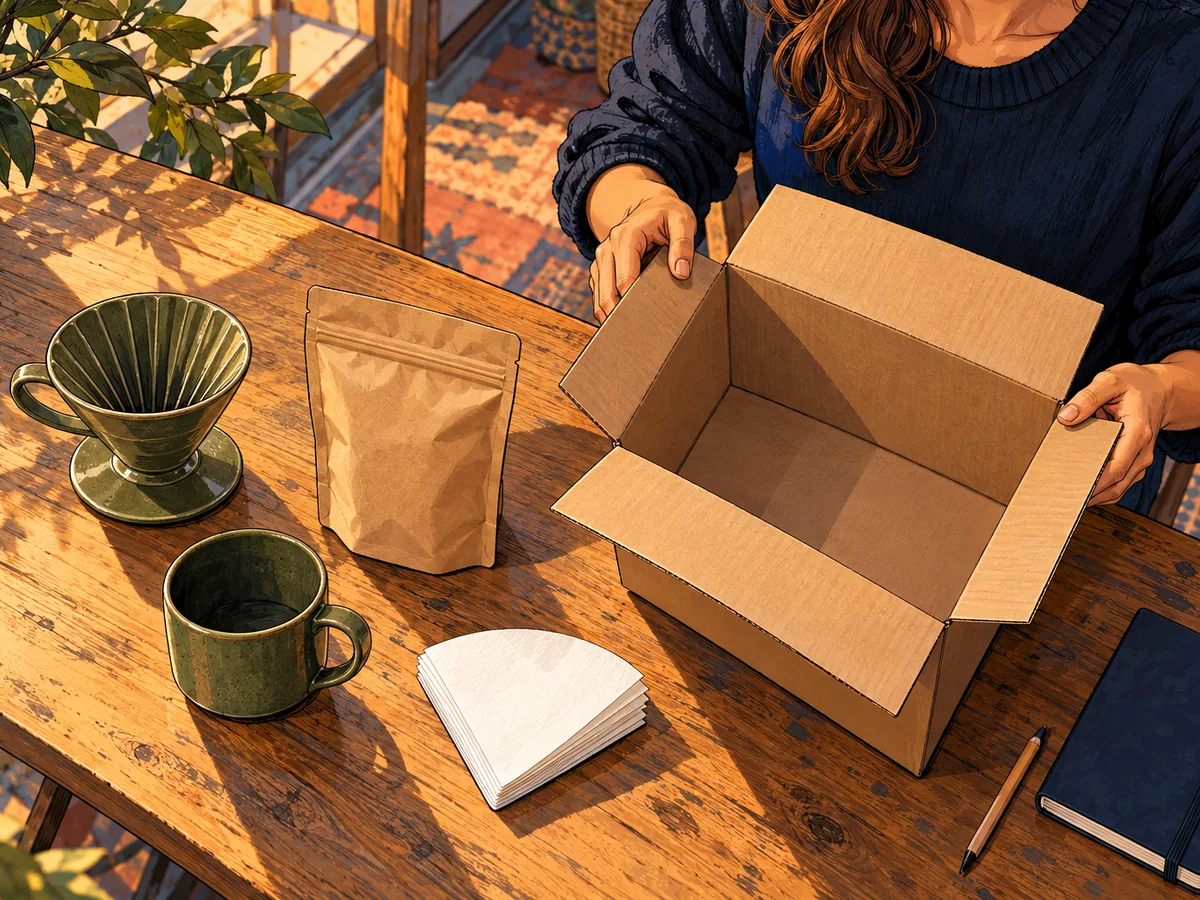
Give each included component its own line with a quantity and the detail that determines compatibility. A styled picture can support that inventory; it cannot replace it.
Here is a fictional coffee kit specification. It is a writing example, not a tested product recommendation:
| Included component | Quantity | Detail to verify before writing |
|---|---:|---|
| Ceramic dripper | 1 | Stated filter shape and supported size |
| Coffee cup | 1 | Capacity and whether it fits under the dripper |
| Ground coffee pouch | 1 | Actual pack weight, grind and roast information |
| Paper filters | 1 packet | Exact filter count and compatible shape |
Do not invent the missing pack weight or filter count to finish the paragraph. Get those values from the real product record. “Filters included” is incomplete when the photographed stack could imply a different quantity.
Loop’s live Daily Calm Bundle page separates a “What you get” inventory from color choices and shipping information.5 That separation is useful to study; it does not prove that its page structure will lift another store’s conversion. Copy the clarity principle, not the brand’s claims, reviews or current prices.
A scene can contain a table, plants or packing material without those objects being included. Keep the contents list explicit enough to settle that distinction.
Where does the presell page stop?
The presell page explains the offer; the store must implement the purchase. A copy block does not create a bundle SKU, synchronize inventory or preserve selected variants by itself.
Write the boundary down as a route: campaign → presell explanation → specified kit or configuration → cart. If the button opens a product page, “View the starter kit” is clearer than “Add the whole set.” If choices remain, name the choice.
Shopify notes that component-price changes do not automatically update a bundle’s price in its first-party app.3 That is a concrete reason to test a live offer after a price change instead of assuming the landing page remains correct.
The video shows an older third-party Bundler workflow, including selecting products and checking the visible bundle. It was uploaded in January 2024, despite the later year in its title. Use it to see the component-to-storefront idea; current app availability, prices and interface details need the official documentation.
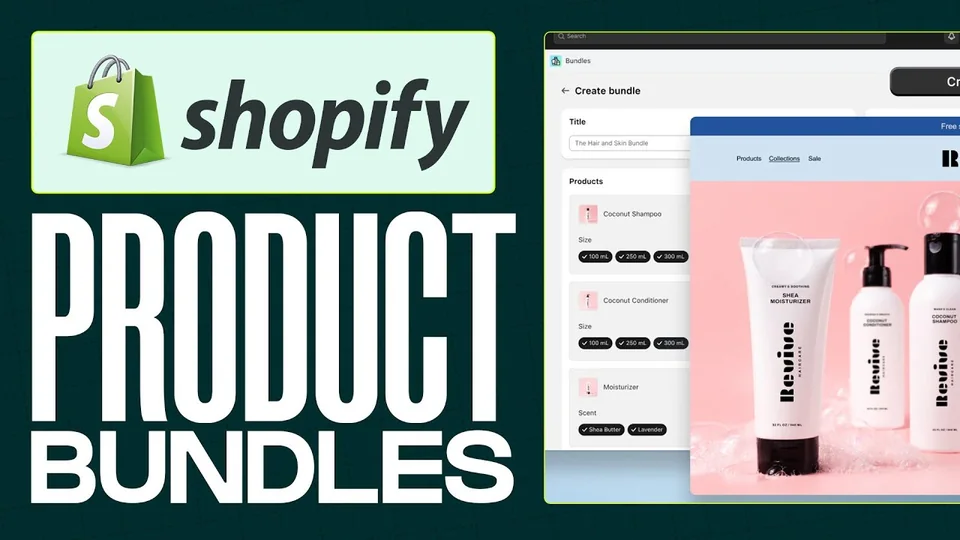
For the full link and tracking route, use the Shopify presell handoff guide. Keep inventory, subscriptions and checkout compatibility questions with the implementation you actually use.
What if one bundle component is unavailable?
Check whether the store still offers the complete named bundle and quantity. An available individual item does not prove that the complete set can be purchased. Do not remove or replace one component silently while leaving the original bundle promise in the ad.
If the actual offer changes, describe the new contents and price together, then check the destination before resuming the route. Use the stockout decision guide to distinguish a confirmed replacement from an unavailable item or an order for later delivery.
How do price and contribution change?
A larger order can leave less money before ads. Compare the set’s revenue with its own variable costs, rather than applying the single item’s margin to a different box.
Consider two fictional offers, with shipping charged or subsidized already accounted for in the stated variable costs:
| Planning example | Single item | Starter kit |
|---|---:|---:|
| Revenue retained before these costs | $40 | $64 |
| Product and other non-ad variable costs | $18 | $44 |
| Contribution before ads | $22 | $20 |
| Order-value change | Baseline | +60% |
| Contribution per order change | Baseline | −9.09% |
The kit raises revenue per order but reduces contribution by $2. If each offer converts the same share of acquired visitors, the kit leaves less contribution per visitor. Its lower contribution also reduces what you can afford to spend acquiring an order.
These are calculated examples, not store benchmarks or a forecast. Returns, tax treatment, payment fees and fulfillment must be represented consistently in your own model. Use the presell funnel math guide for the denominator and break-even method, or the discount profit calculator before adding a price reduction.
Show a savings comparison only when the component quantities and comparison prices are genuine. A higher struck-out number is not a substitute for an offer the shopper can understand.
What must match from ad to cart?
Use one offer specification to check every stage. This catches a different class of defect from checking whether the page looks polished.
The original worksheet below makes the promise testable. Replace the fictional descriptions with the exact offer you plan to publish.
| Promise | Ad | Presell page | Destination | Cart check |
|---|---|---|---|---|
| Coffee starter kit | Same use case | Explain the task | The named kit | No unrelated item substituted |
| Four named components | Show no extra gift | List each quantity | Same component record | Verify all quantities |
| Required color or size | Do not imply no choice | Say where choices occur | Selection works | Choice is retained |
| One-time purchase | No recurring language | State the purchase basis | Same purchase option | No unintended subscription |
| Offer price | State conditions | Match the current offer | Same eligible price | Explain any tax or shipping change |
This is an offer contract between your own page stages, not a claim that every platform has the same cart behavior. Test the actual destination and stop the campaign if the promised components cannot be purchased as described.

A mismatch can be as small as “two filters” meaning two packets in one screen and two individual filters in another. Resolve the unit before rewriting the persuasion. The message-match guide explains how to keep the surrounding promise consistent.
How can you draft the offer block?
Write the offer block with verified nouns before writing clever headlines. A useful first draft has a task, a named set, a component list and a truthful next step.
The generator fills those four slots locally. It does not check product facts, calculate savings or send your text to a server. Replace the example values with confirmed information, then edit the output for the reader.
Interactive
Draft a clear offer block
Use confirmed facts only. These inputs stay in this page; the draft is not saved automatically.
- Task-led headingReady to make a first pour-over coffee? Start with the coffee starter kit.
- Contents blockIncludes one dripper, one cup, one coffee pouch and one filter packet. Check the listed specifications and anything you must supply separately.
- Button and routeView the kit and confirm its options. The destination must preserve the set described here.
Check quantities, specifications, price and exclusions against the real product record. The tool cannot validate them.
Without JavaScript, copy this structure: “Start [task] with [kit name]. Includes [verified components and quantities]. [View the kit / choose the required options].” Keep an unresolved detail as a question in your draft, not as a published promise.
A short offer block can appear high on the page, followed by explanations, evidence and objections. A longer advertorial format is useful only when the reader needs that additional context. It should still lead to the same offer.
What proof and claims belong on the page?
Use proof that supports the specific component or benefit you describe. A review of the main product does not automatically support every item in a kit.
For a physical set, useful proof can include a real contents photograph, a demonstrated fit between parts, accurate dimensions or a clear packing inventory. If you use reviews, preserve what the reviewer actually reviewed and follow the permissions and rules that apply.
Avoid unsupported “most popular,” “best value” and “everything you need” labels. “Everything” needs a boundary: the coffee kit might still require water, a kettle and a suitable place to brew. Name those exclusions near the use case instead of waiting for a disappointed buyer to discover them.
A genuine stock limit can matter; a timer that resets does not describe one. If there is no real deadline, use the practical reason to choose the set rather than manufacturing urgency.
How should you check and measure the handoff?
Check the whole offer path before comparing conversion rates. A page with the wrong kit in the cart cannot be rescued by a higher click-through number.
Check the exact route before sending traffic
7 items
The checklist is a local working aid. A checked box is your confirmation, not an automated test of your store. With JavaScript, progress is remembered locally in this browser; no checklist result is sent to a server. Without it, the same items remain available as a plain checklist.
For measurement, define one comparison period and one acquisition denominator. Record orders, contribution and revenue per acquired visitor, then use presell click-through to diagnose the intermediate step. A different bundle can change fulfillment costs and returns as well as revenue.
Shopify’s marketing reports distinguish sessions, orders and attribution settings; their definitions and reporting scope matter when comparing exports.6 An attributed sale is not proof that the presell page caused the purchase. Keep the same attribution choice and allow the relevant return window before treating an early result as settled.
A product bundle landing page is ready when the buyer can explain the set and the store delivers that exact promise. Build the draft, check the route, then let a properly defined test tell you whether the offer earns its extra step.
A bundle page and its promotion can fail at different stages. Use the discount-link diagnostic to distinguish the destination, bundle eligibility and observed cart result.
<!-- shipping1112:add:start --> Before putting a delivery incentive into the offer, use the free shipping threshold calculator to separate the shipping charge you give up from the carrier cost you still pay. <!-- shipping1112:add:end -->
Frequently asked questions
Does a bundle landing page need a discount?
A useful set can sell convenience or compatibility without a price reduction. If you claim savings, compare real, available equivalents and show the exact basis.
Should the button add the whole kit to cart?
Only when the implemented destination actually adds every specified component and preserves required choices. Otherwise label the button as a visit to the kit or a configuration step.
Can a presell page manage bundle stock?
Copy alone cannot manage stock. The store’s bundle implementation controls component availability, variants and cart contents. Verify it separately.
How many bundle options should I show?
Start with the choices the buyer needs to finish the task. There is no universal winning count. Keep a single-kit option when it serves a different need; test the decision with actual shoppers.
Is a larger average order value always better?
A higher order value can still leave less contribution after product, fulfillment, discount and payment costs. Compare contribution per acquired visitor as well as order value.
What if the cart price differs from the page?
Stop the affected offer until the cause is fixed. Check selected variants, discount combinations, shipping and taxes, then repeat the path from the exact campaign link.
Sources
- Product bundles, Shopify Help Center
- Eligibility and considerations for using product bundles, Shopify Help Center
- Shopify Bundles, Shopify Help Center
- Product Bundles, Composite Products, Add-Ons or Recommendations?, WooCommerce
- Daily Calm Bundle, live contents and variant layout, Loop Earplugs
- Marketing reports, Shopify Help Center